Free AI planner
An AI planner that knows your tasks and asks before it acts
Ask what to focus on and get an answer from your real tasks, calendar and goals. Ask it to plan your day or move things around, and it prepares the changes for you to approve. Or bring your workspace into ChatGPT and Claude.
Free · No credit card · Private by default
- Answers from your own data
- Plans and reschedules for you
- Every change needs your OK
- Works in ChatGPT and Claude
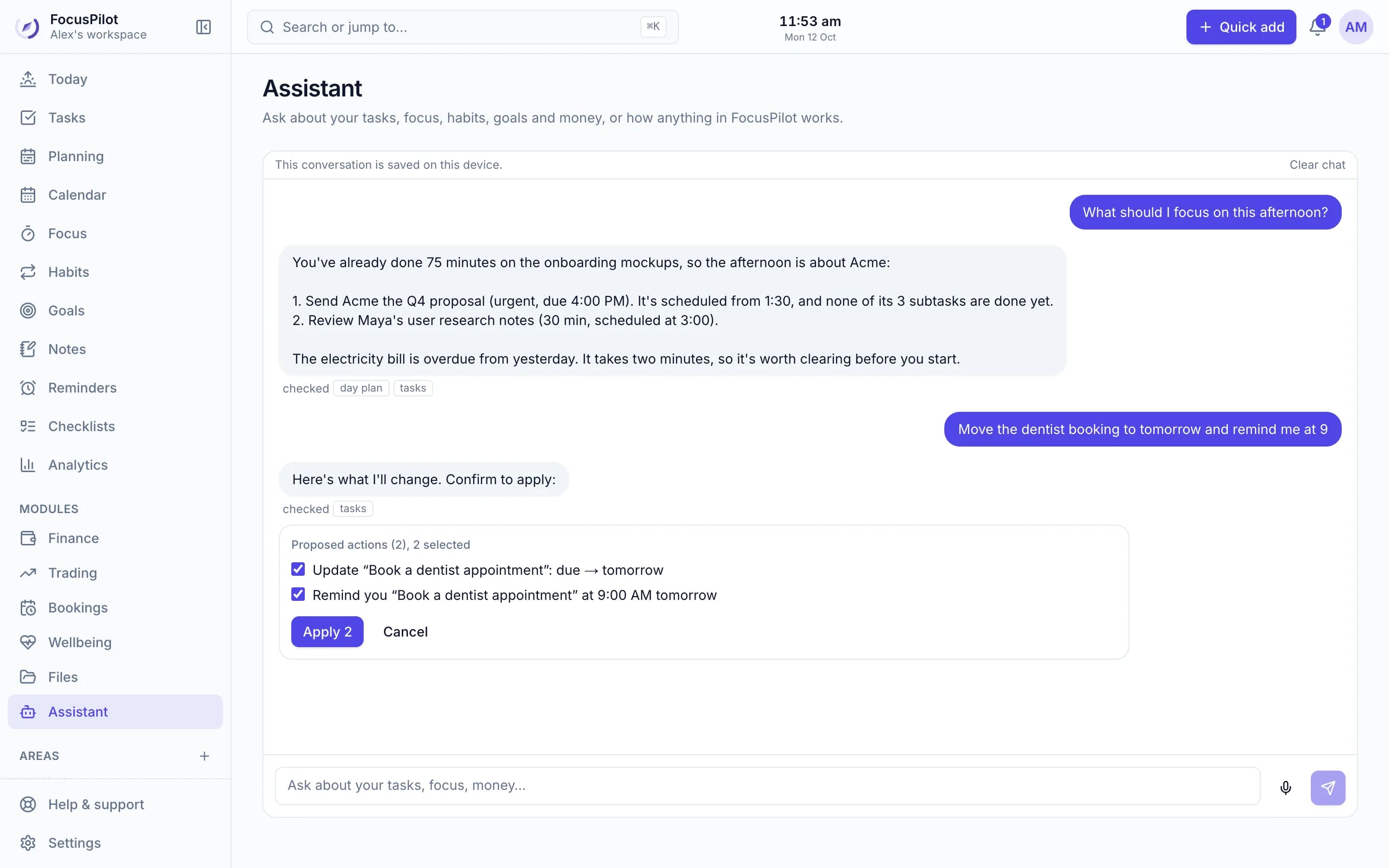
AI that does the busywork, not the deciding
Ask about your work
“What's overdue?”, “How was my focus this week?”, “Which invoices are unpaid?” Answers come from your workspace, with real numbers.
Plan my day with AI
An AI-built schedule that respects your hours, meetings and deadlines, and explains why each task landed where it did.
Bulk changes in one sentence
Reschedule a batch, clear out old tasks, add reminders or change settings. The assistant stages it all as one confirmable card.
You approve everything
Pick which proposed changes to apply. Nothing happens in your workspace without your confirmation.
Voice notes
Speak instead of typing. Your note is transcribed and answered like any other message.
Your workspace in other AI apps
Connect ChatGPT, Claude, Claude Code, Codex or Cursor with one address and a sign-in.
Planning
Let AI draft the day, then make it yours
Choose Plan with AI on the Planning page. You get time blocks around your meetings and deadlines with a reason for each, and you apply only what you like. Undo puts everything back.
See the daily planner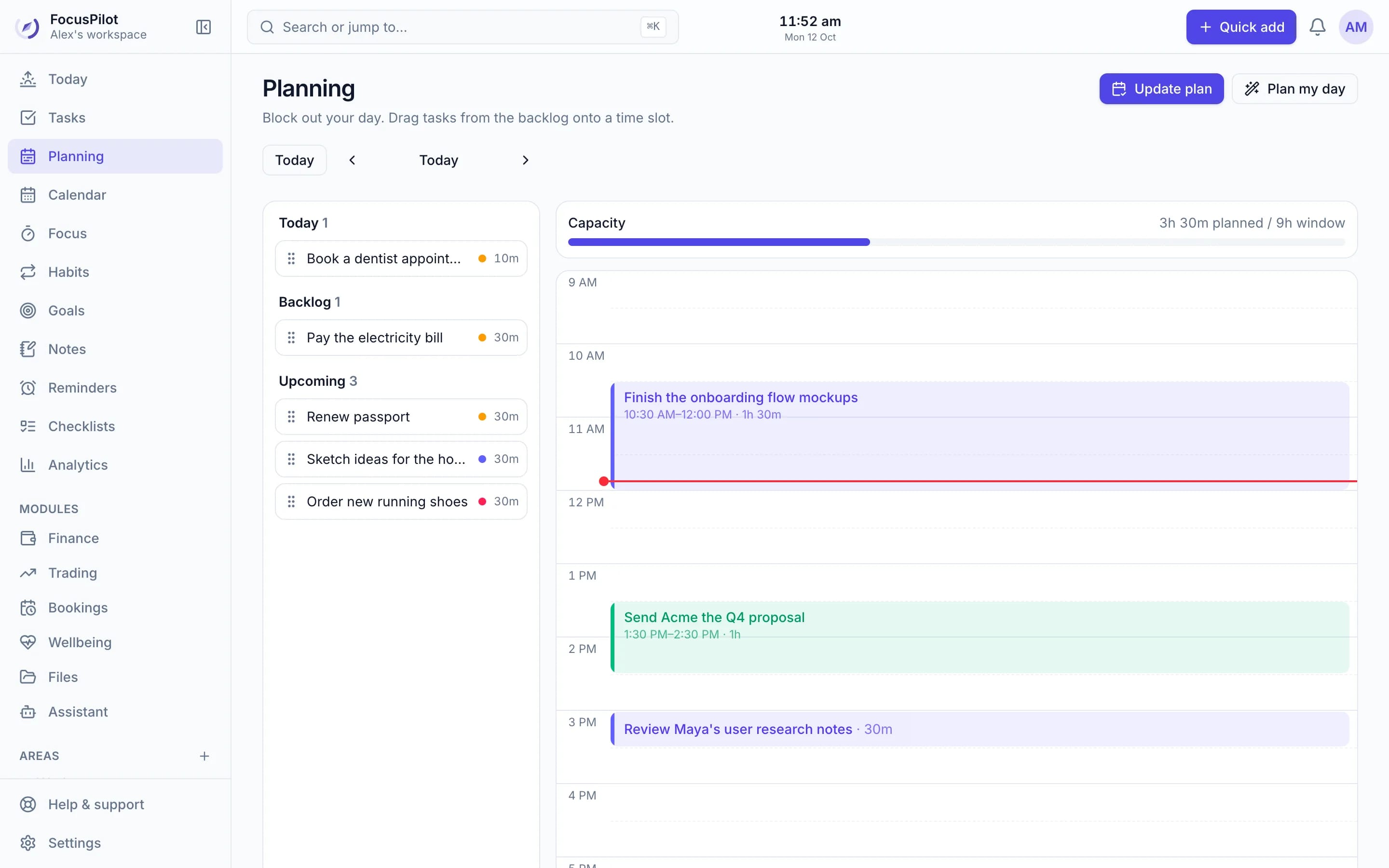
Insight
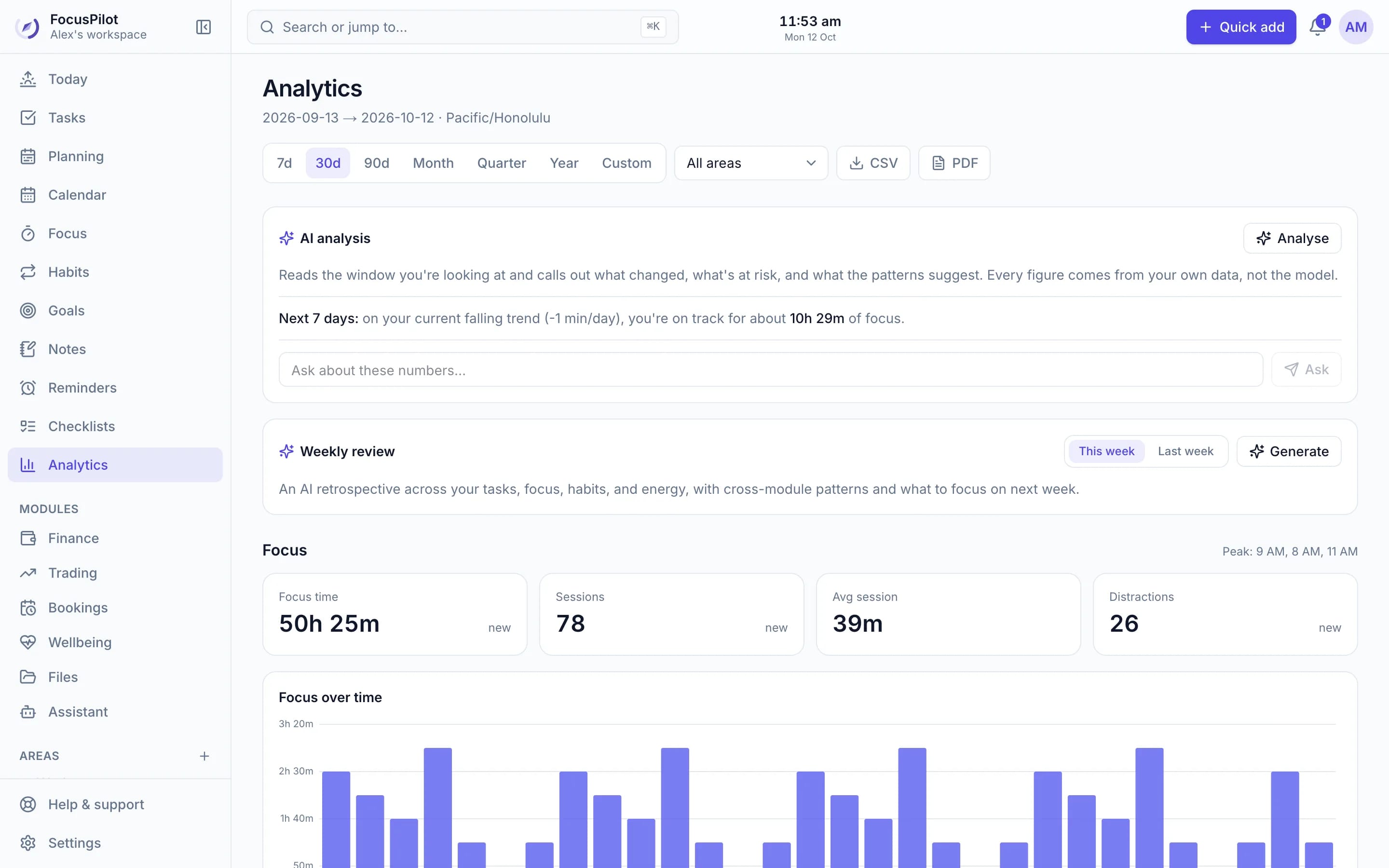
AI analysis of your own numbers
Analytics can explain what changed, what's at risk and what your patterns suggest, plus a weekly review of tasks, focus, habits and energy. Every figure comes from your data, not the model.
Capture
Paste a mess, get clean tasks
Capture with AI turns a pasted email, meeting notes or a brain dump into draft tasks that you review before adding.
Explore the task manager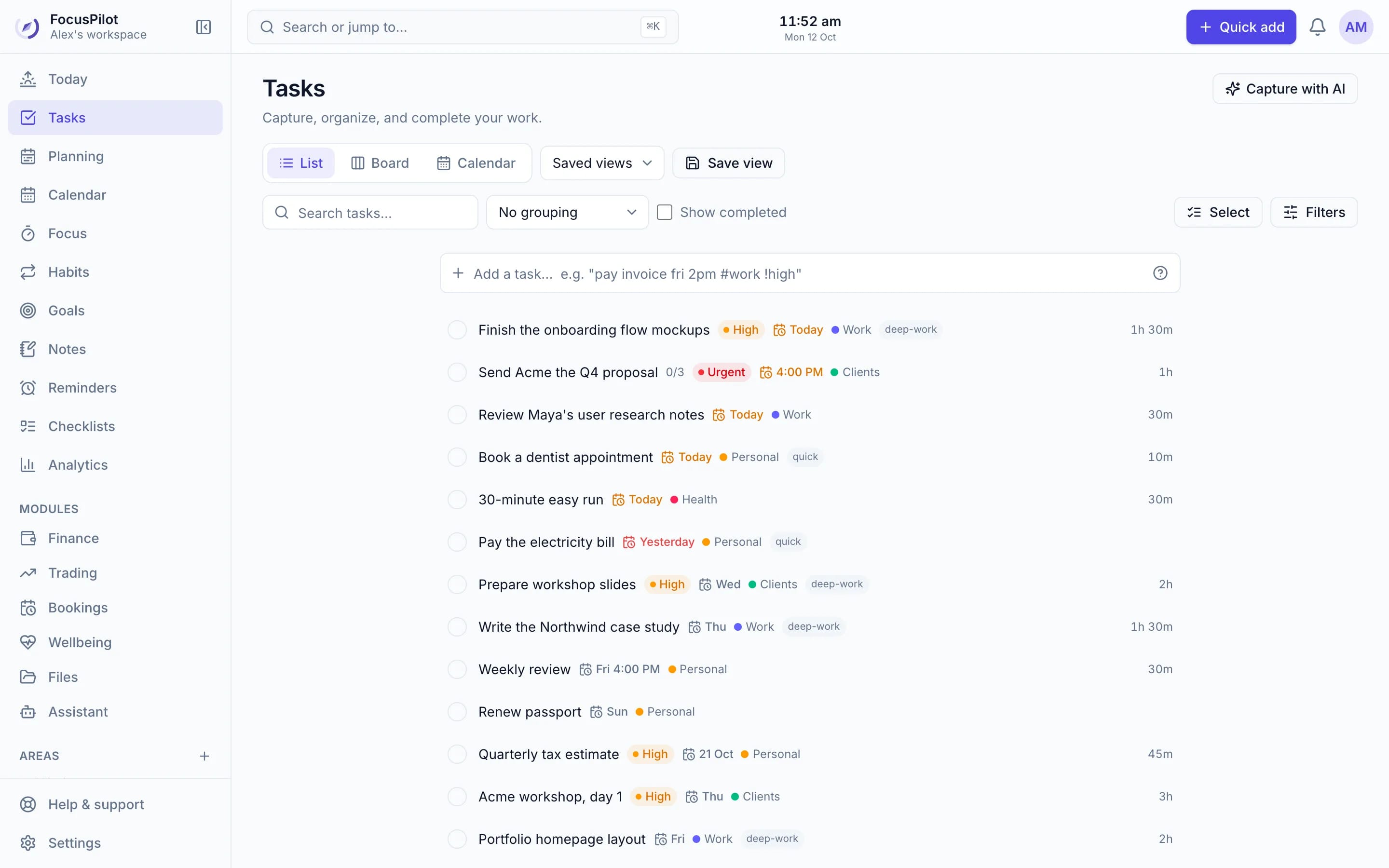
Why not just use a chatbot?
A general chatbot doesn't know your tasks. The FocusPilot assistant works inside your workspace.
| Feature | FocusPilot assistant | General chatbot |
|---|---|---|
| Knows your tasks, calendar, habits and goals | ||
| Plans your day around real meetings | ||
| Makes changes after you confirm | ||
| Answers with your own numbers | ||
| Knows how FocusPilot works | ||
| Can connect to ChatGPT and Claude | — |
Frequently asked questions
Is the AI planner free?
Yes. A monthly allowance of AI requests is included free with every account. You can see how much you've used in Settings → AI assistant.
Can the AI change my tasks without asking?
No. When you ask for a change, the assistant prepares it as a card you confirm or cancel. Nothing in your workspace changes until you approve it.
What can I ask it?
Questions about your own work (what's overdue, how your focus went this week, how much clients owe you, which habits you've kept) and requests like planning your day, rescheduling tasks, adding reminders or cleaning up old tasks in bulk. It can also explain how any part of FocusPilot works.
Does it work with ChatGPT and Claude?
Yes. Connect FocusPilot to ChatGPT, Claude, Claude Code, Codex, Cursor and other MCP-compatible apps by adding one address and signing in. The app can then read and manage your tasks with the permissions you choose.
What does the AI see?
Only the parts of your workspace needed to answer the request you make. Your data is never sold or used for advertising.
Can I talk to it?
Yes. Record a voice note in the assistant and it's transcribed and answered like a typed message.
Ask your workspace anything
Create a free workspace, turn on the AI assistant in the setup guide, and ask what to do next.
Free · No credit card · Private by default