Free booking page
Free booking pages with Google Meet, built into your planner
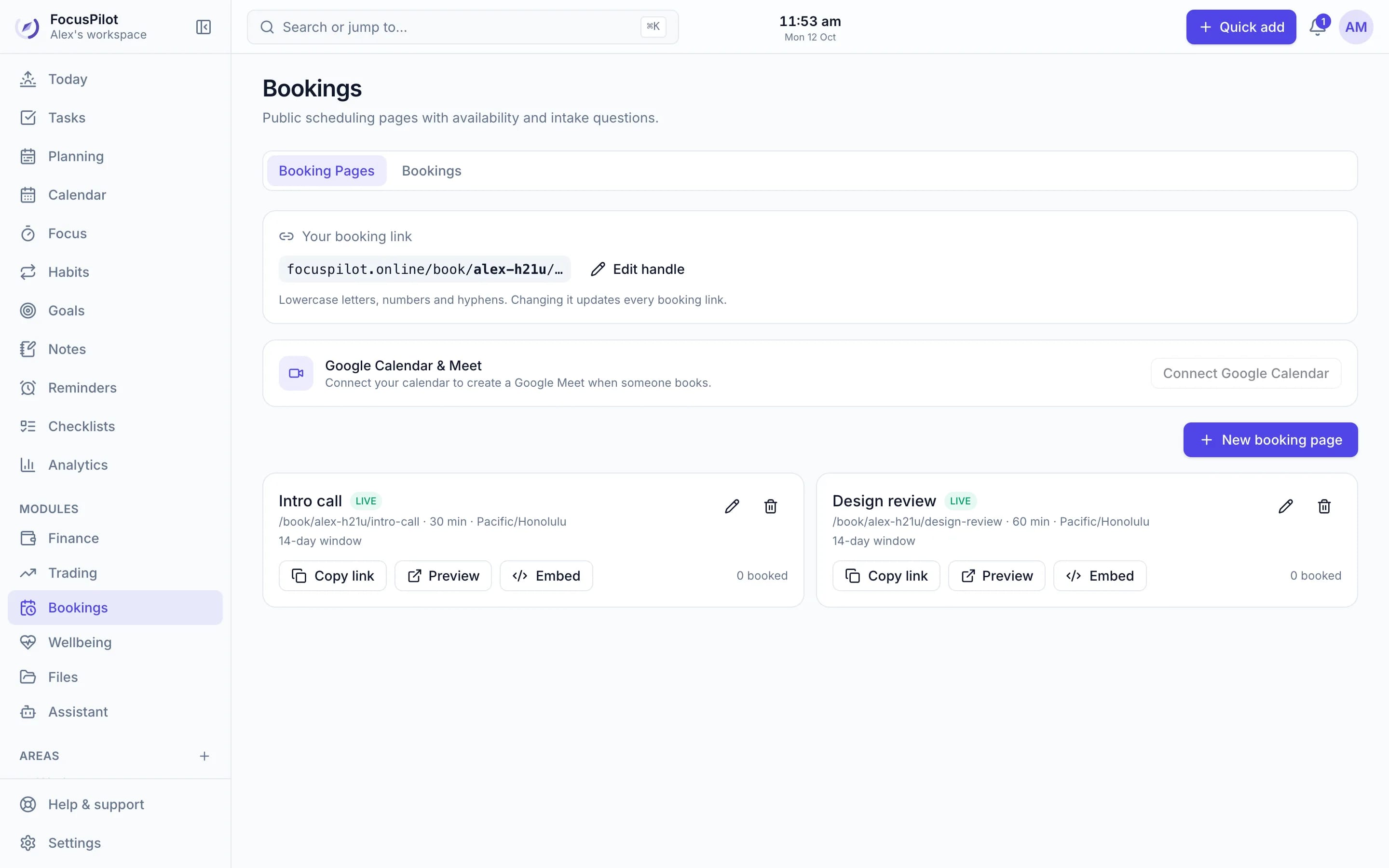
Share a link or embed it on your site. Guests pick a time that's actually free, get a Google Meet link and reminders, and the meeting lands in your task list so you can plan the rest of your day around it.
Free · No credit card · Private by default
- Your availability and buffers
- Google Meet links
- Website embed
- Meetings land in your tasks
Everything you need to take bookings
Availability your way
Weekly hours, date overrides and time off, slot intervals, buffers, minimum notice and a booking window up to 90 days.
Google Meet, automatically
Connect Google Calendar and every booking gets a calendar event and Meet link. Or use any location or video link.
Intake questions
Ask guests what you need to know before the call, and see their answers with the booking.
Reminders for everyone
Guests get a confirmation and reminders about a day and 30 minutes before. You get alerts the way you choose.
Embed on your website
Inline calendar, popup link or floating button, matched to your brand colour and light or dark theme.
No double bookings
Booked slots are protected instantly, and pausing a page stops new bookings everywhere it's shared.
Your day
Meetings become part of the plan
Each booking creates a task at the meeting time with the Meet link in its notes. Reschedule and the task moves; cancel and it's removed. Plan my day schedules your other work around it.
Learn about time blocking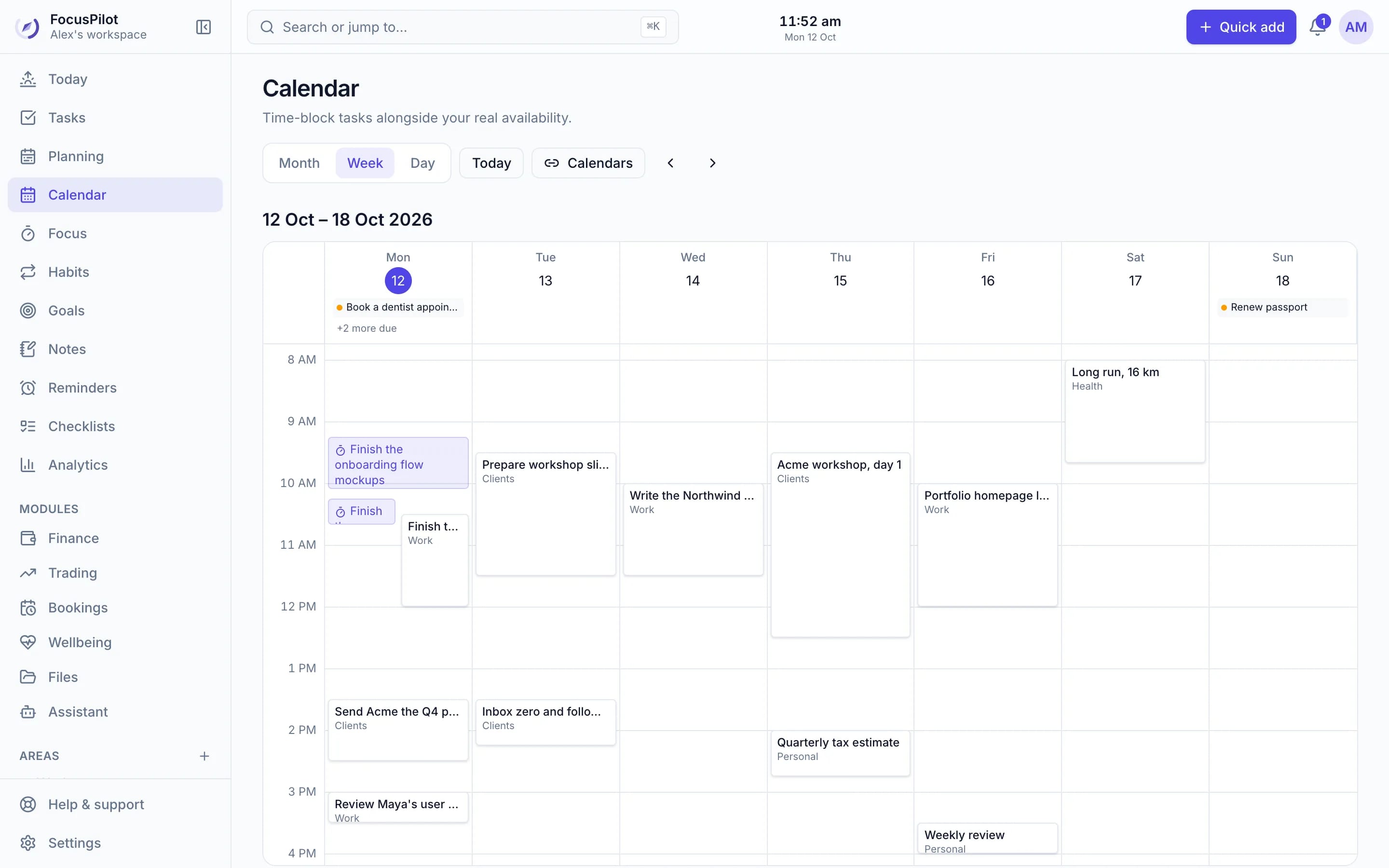
Today
Calls never sneak up on you
Booked meetings show up as tasks on Today and in your calendar, next to your top outcomes and focus time, with the Meet link one click away.
See the daily planner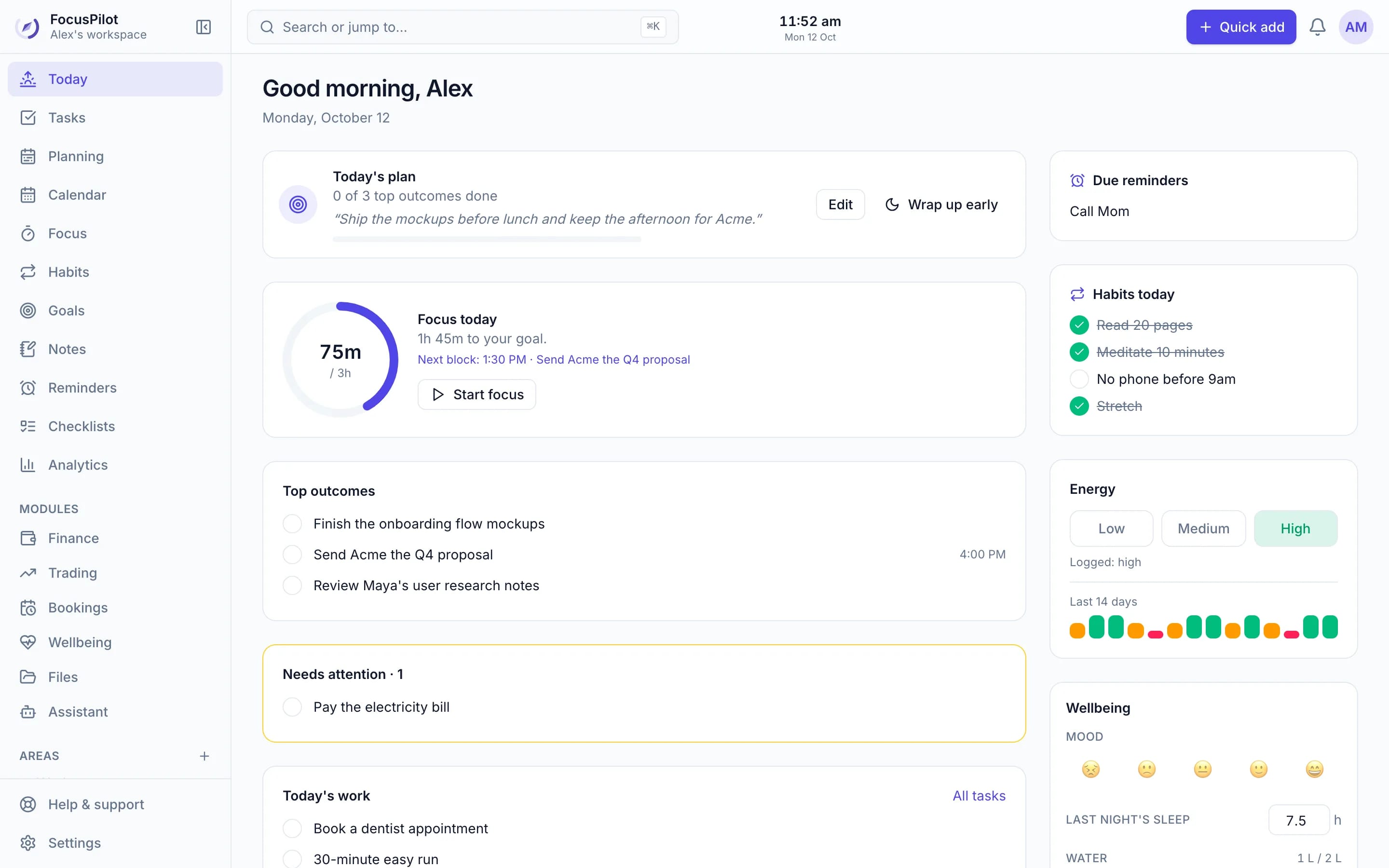
A booking tool that knows your whole day
| Feature | FocusPilot | Standalone scheduling tool |
|---|---|---|
| Public booking page and link | ||
| Google Meet links and calendar events | ||
| Website embed | ||
| Buffers, minimum notice and intake questions | ||
| Meetings land in your task list | ||
| Plan the rest of your day around them | ||
| Invoices for the clients you meet | ||
| Price | Free | Varies |
Frequently asked questions
Is the booking page free?
Yes. Booking pages, Google Meet links, guest reminders and the website embed are all free.
How is this different from Calendly?
The booking page works much like a scheduling tool, with your availability, buffers, minimum notice and intake questions. The difference is that it lives inside your planner: each booking becomes a task on your calendar, so you plan the rest of your day around it in the same place.
Do guests get a Google Meet link?
Yes, when you connect Google Calendar. FocusPilot creates the calendar event and Meet link automatically and includes it in the guest's confirmation. You can also use your own location or video link.
Can I put it on my website?
Yes. Copy an embed code to show the calendar inline, open it from a link or button, or add a floating button to every page. It works with WordPress, Webflow, Squarespace, Wix and plain HTML.
Can guests reschedule or cancel?
Yes. Their confirmation email has a link to choose a new time or cancel. FocusPilot sends clearly labelled change emails and moves or removes the meeting task for you.
Will people double-book me?
No. A slot is protected the moment it's booked, and buffers before and after meetings keep back-to-back calls from piling up.
Share your booking link today
Create a free workspace, turn on Bookings, and your first page takes a couple of minutes.
Free · No credit card · Private by default