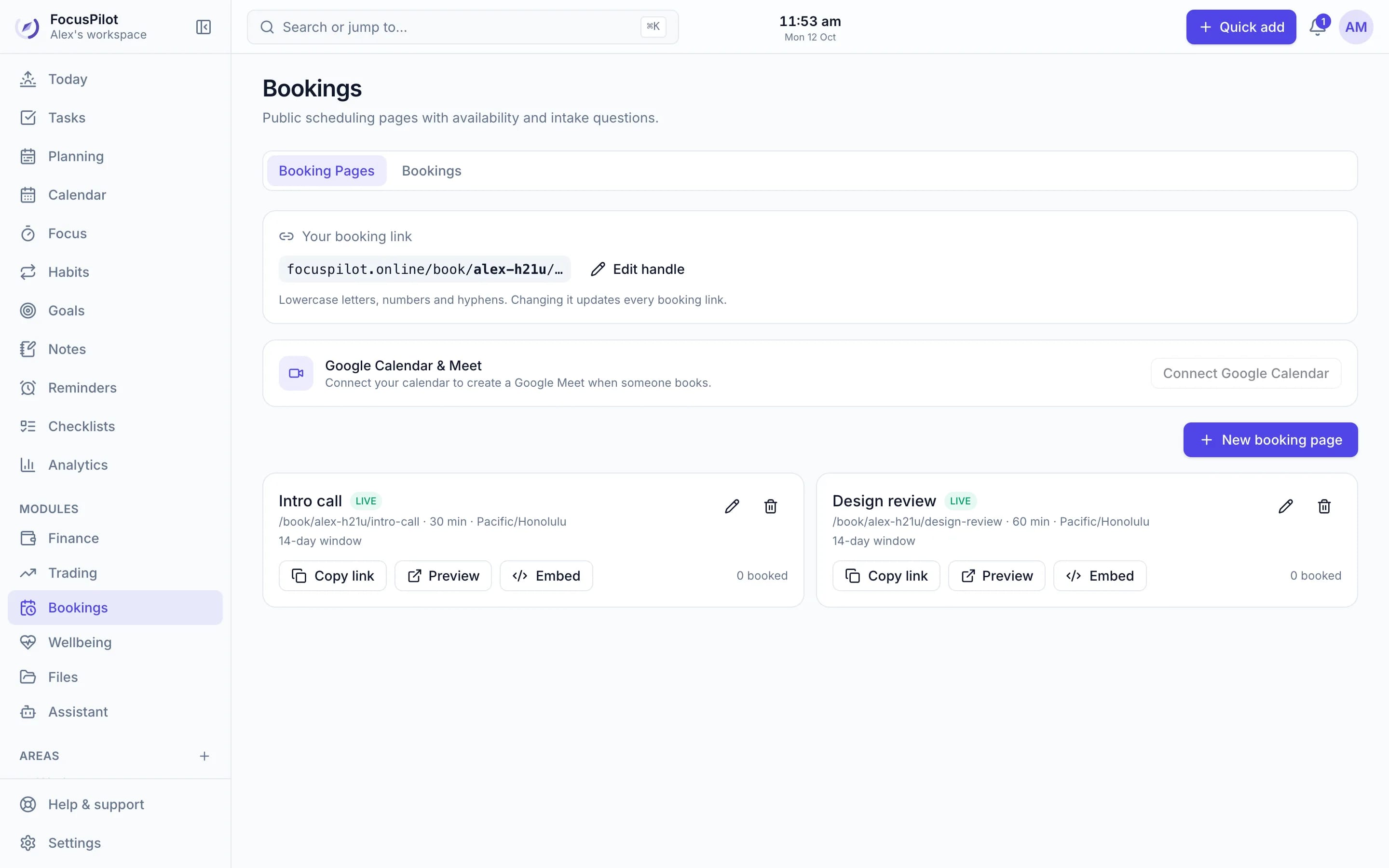
Booking pages
Share a link or embed it on your site. Guests pick a free slot, get a Google Meet link and reminders, and the meeting lands in your tasks.
Free booking pagesFree daily planner, task manager and focus timer
FocusPilot turns your to-do list into a realistic plan for today and helps you follow through, with time blocking, a focus timer, habits, goals and an AI assistant that knows your work. One app, free.
Free · No credit card · Private by default
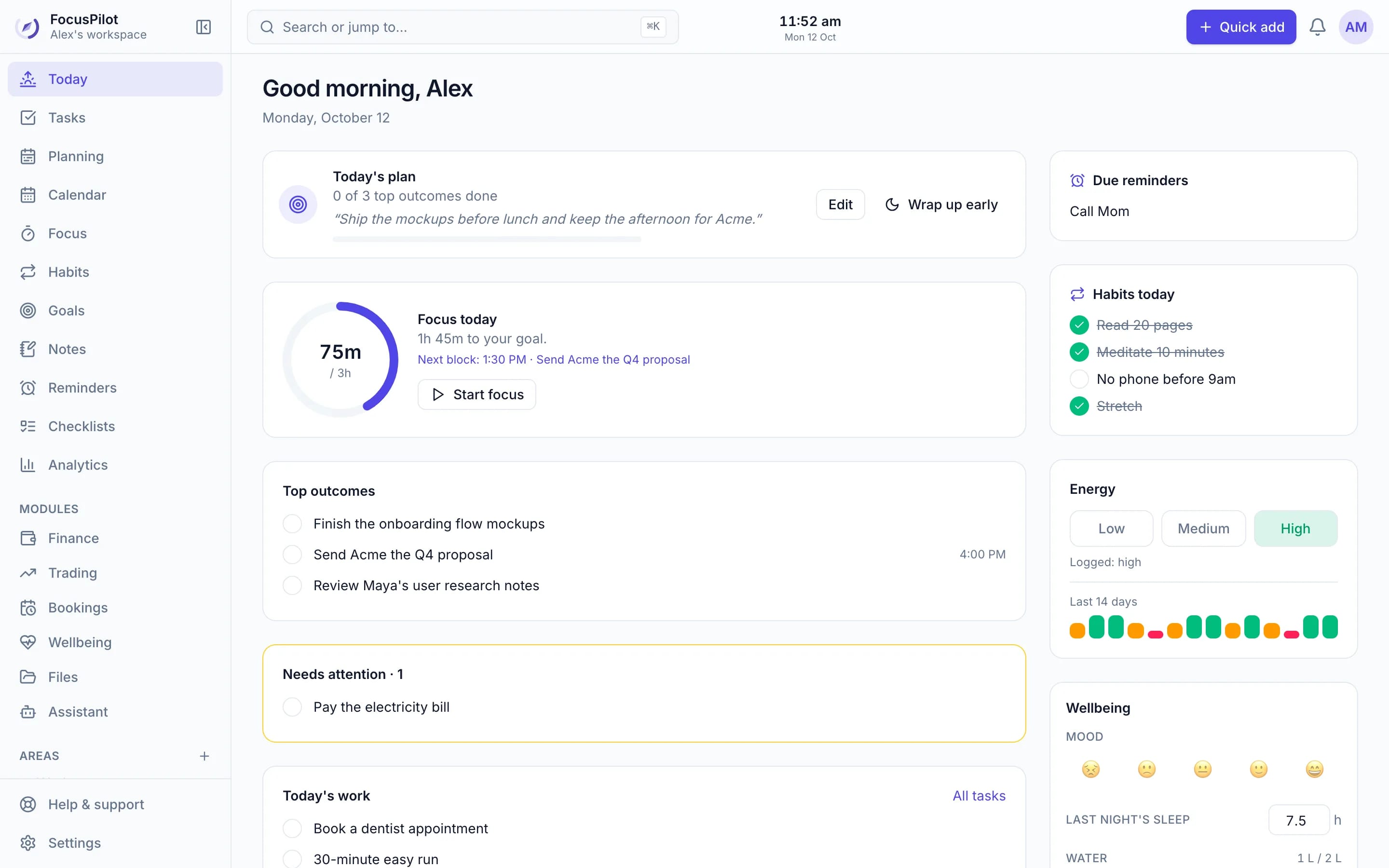
How it works
Most apps help you list things. FocusPilot helps with the part after the list: deciding, scheduling, focusing and looking back.
1. Capture
Type tasks the way you'd say them. “Pay invoice Friday 2pm #work !high 30m” sets the due date, Area, priority and time estimate in one go. Organise by Area, tag anything, and let recurring tasks come back on their own.
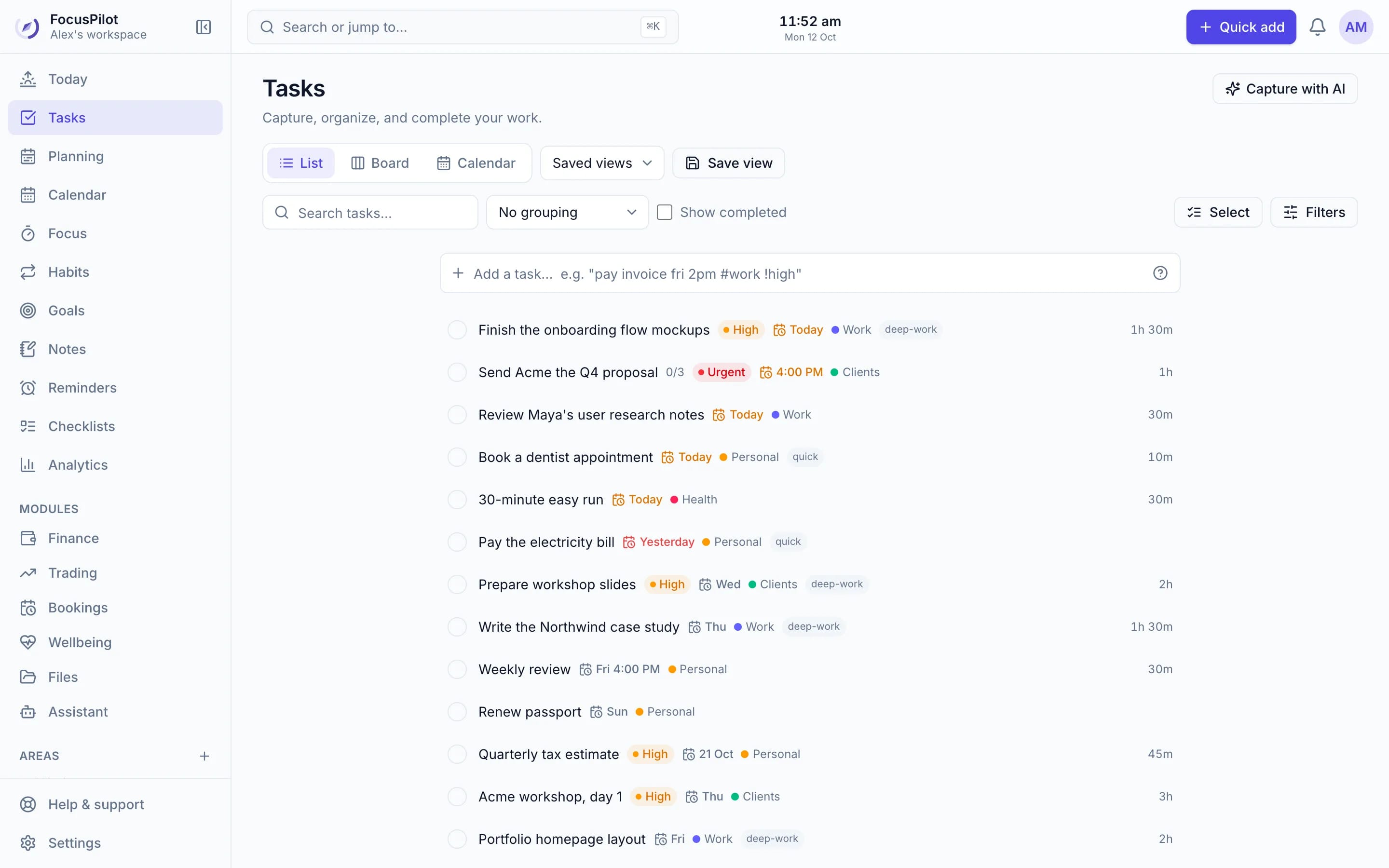
2. Plan
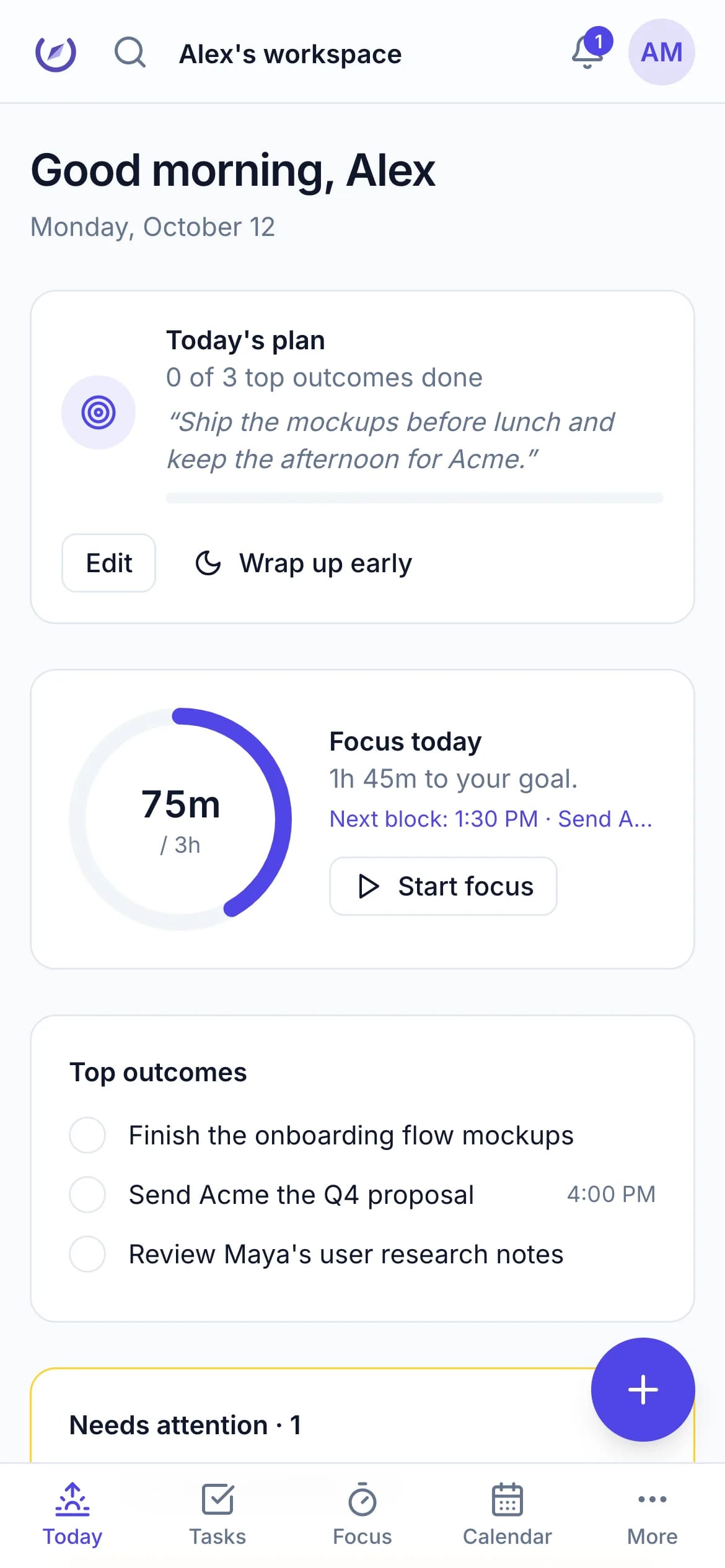
Each morning, pick the three outcomes that matter. Then drag tasks onto your day, or let Plan my day fit them around your meetings, deadlines and energy. The capacity meter tells you when you've planned more than the day can hold.
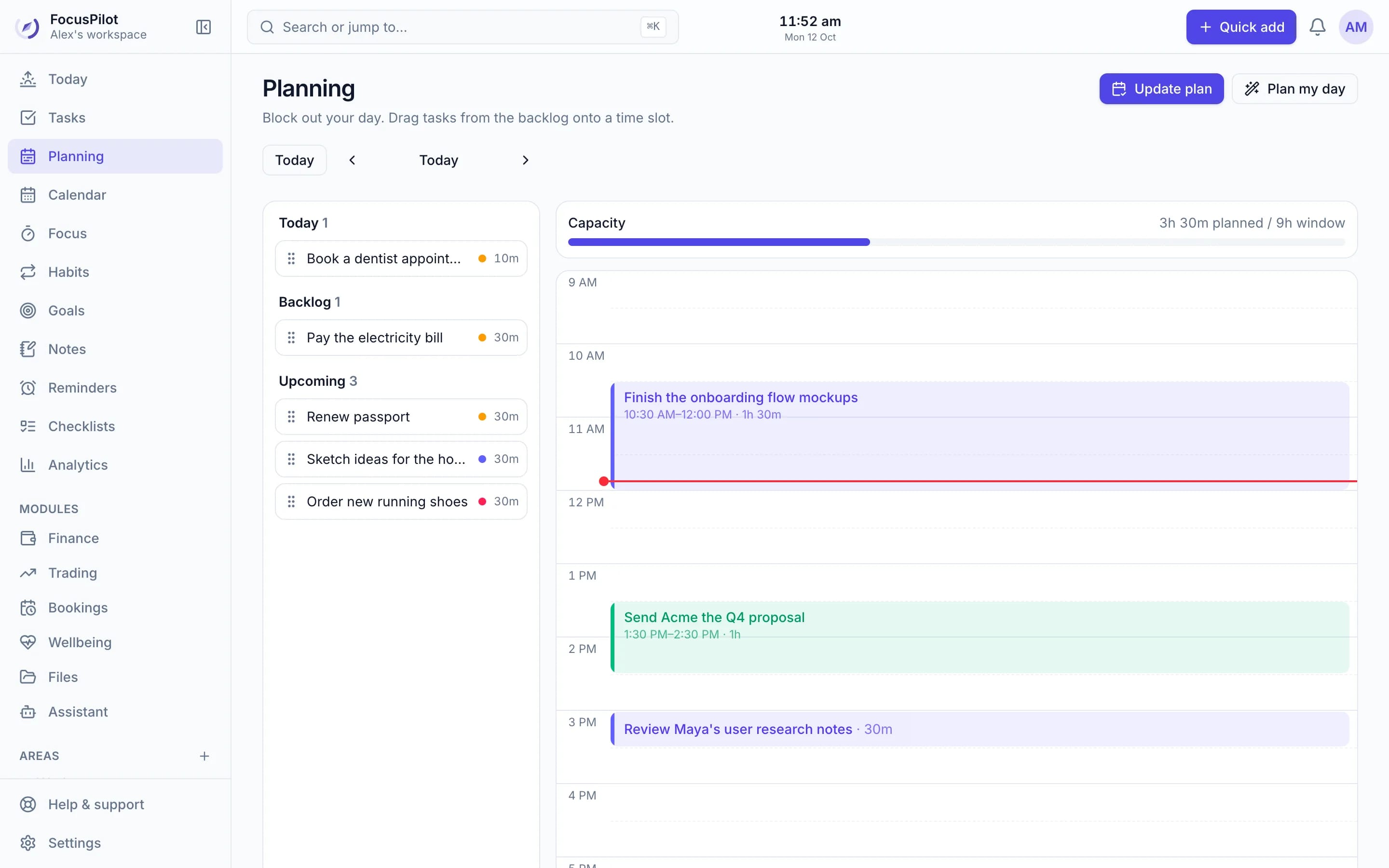
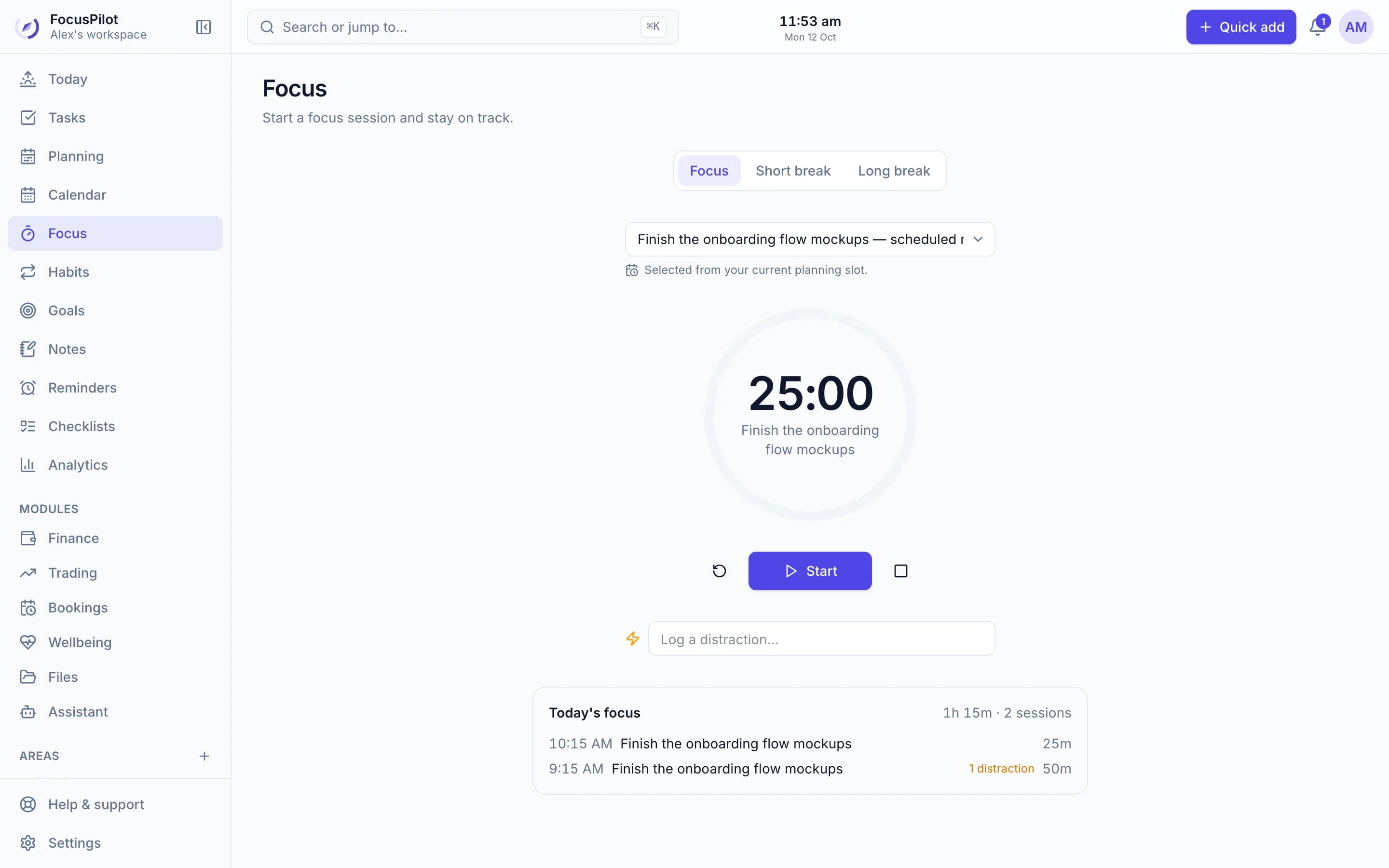
3. Focus
Start a focus session and the timer picks up the task from your current time block. Breaks start on their own; the next session waits for you. Every minute you focus is added to the task and your history.
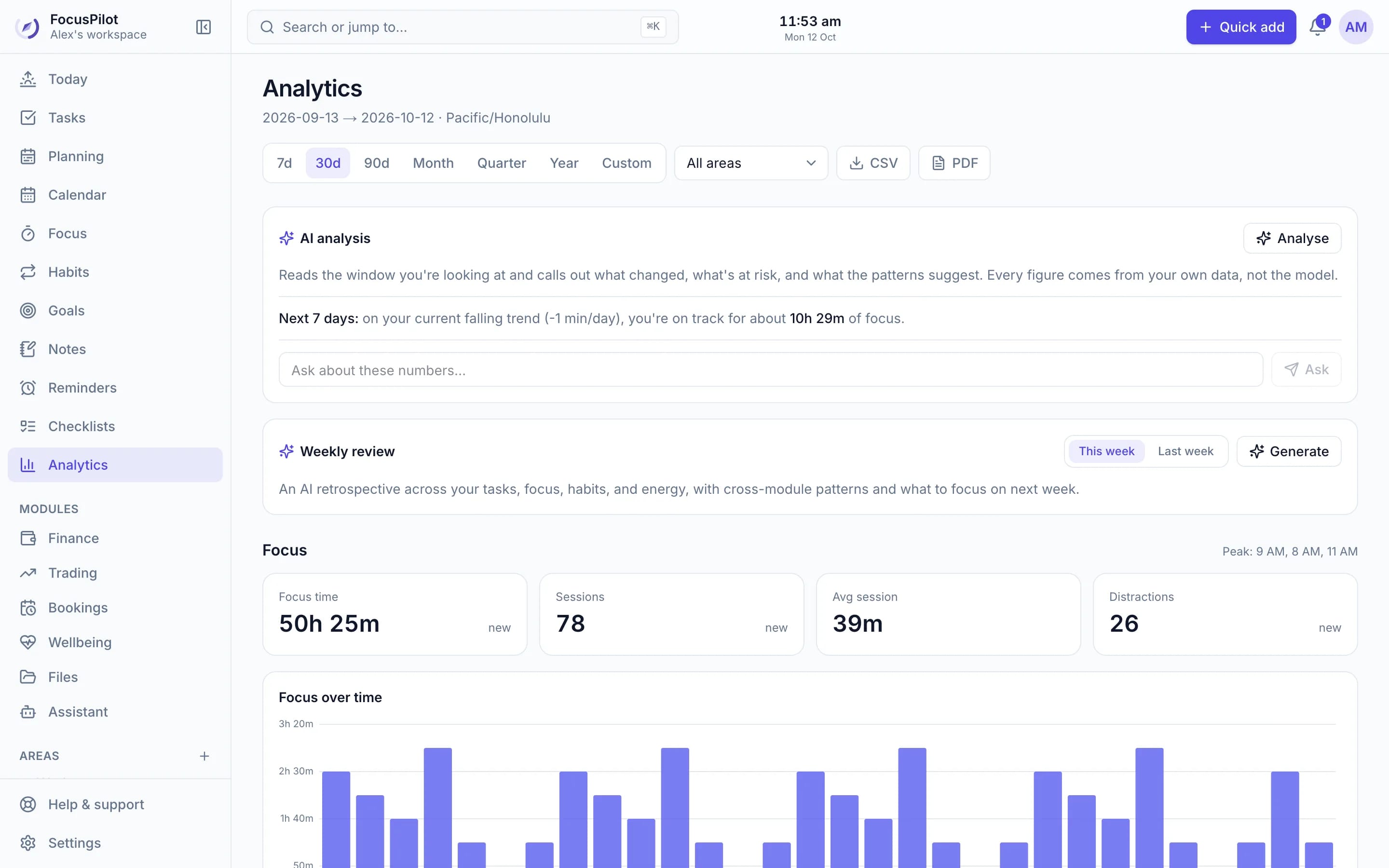
4. Review
A short shutdown moves unfinished work to tomorrow or the backlog and asks how the day went. Over time, Analytics shows your best focus hours, how accurate your estimates are and which habits move the needle.
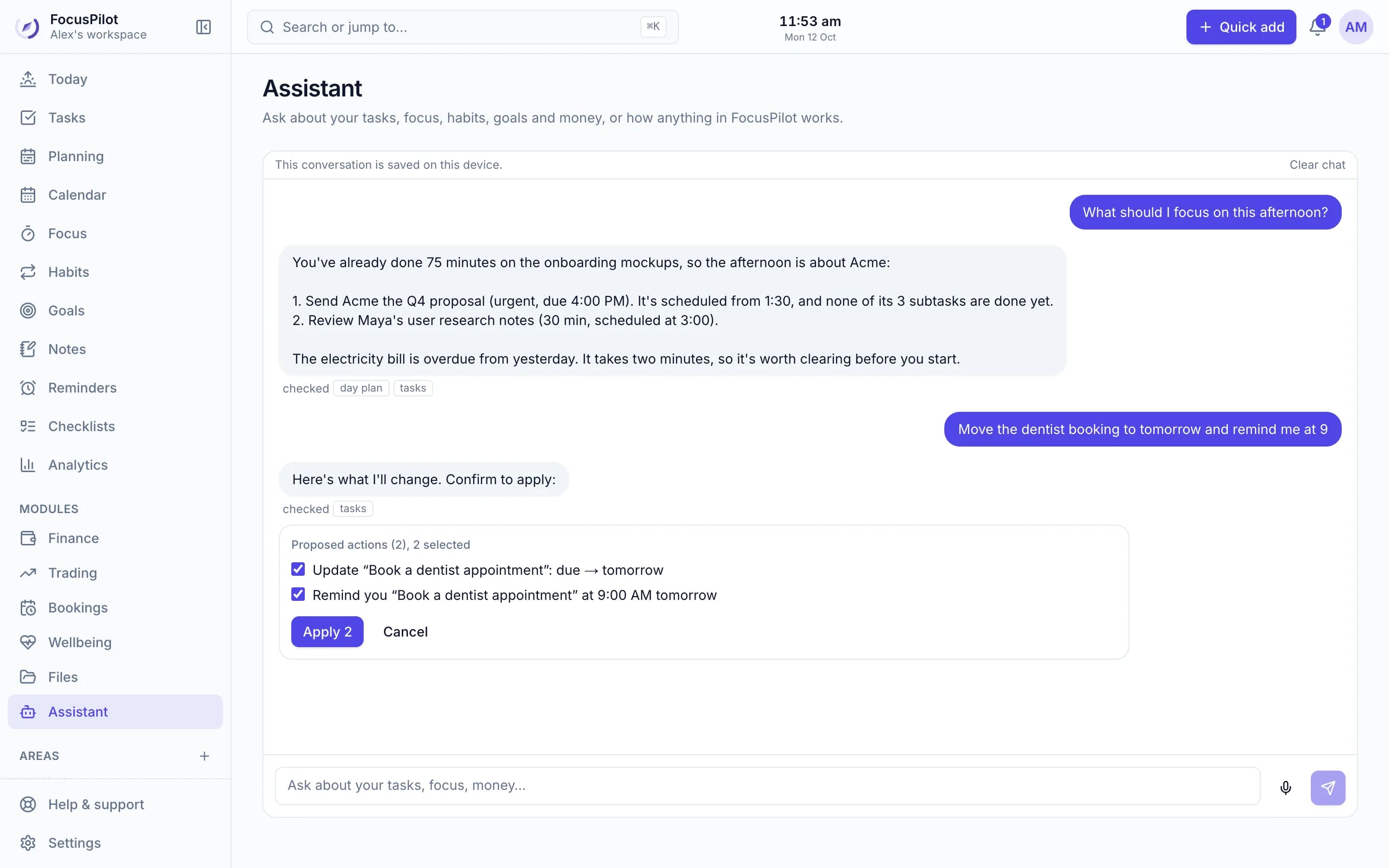
AI assistant
Ask what to focus on, what's overdue or how your week went, and get answers from your own data. Ask it to reschedule, plan your day or clean up old tasks, and it prepares the changes for you to confirm.
Everything included
The core tools are always there. Optional modules such as booking pages, invoices, a trading journal and prayer times stay out of your way until you switch them on, and they're free too.
For your work, too
Share a link or embed it on your site. Guests pick a free slot, get a Google Meet link and reminders, and the meeting lands in your tasks.
Free booking pages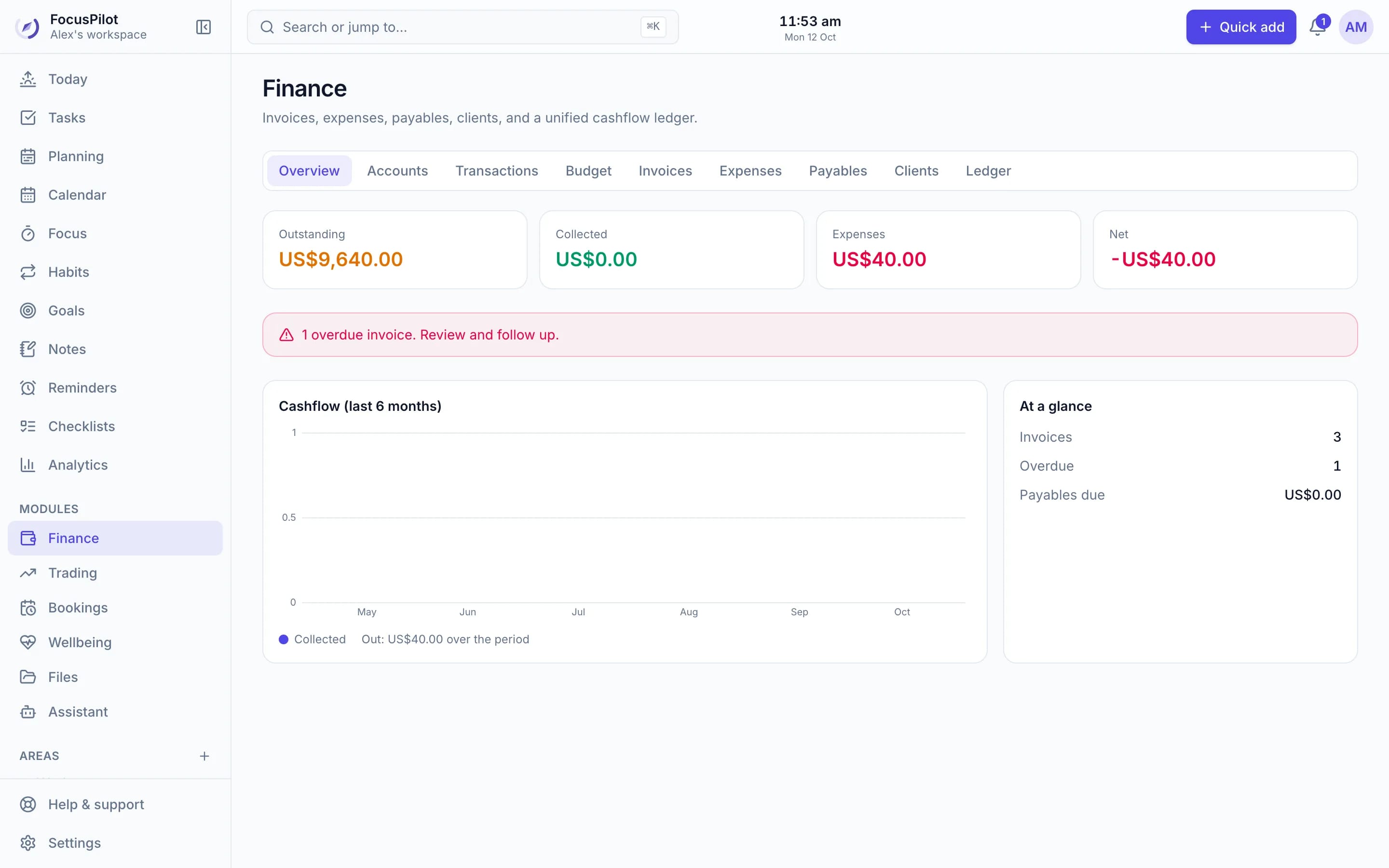
Track clients, invoices, expenses and bills, import bank statements, and see where the month's money went.
How finance works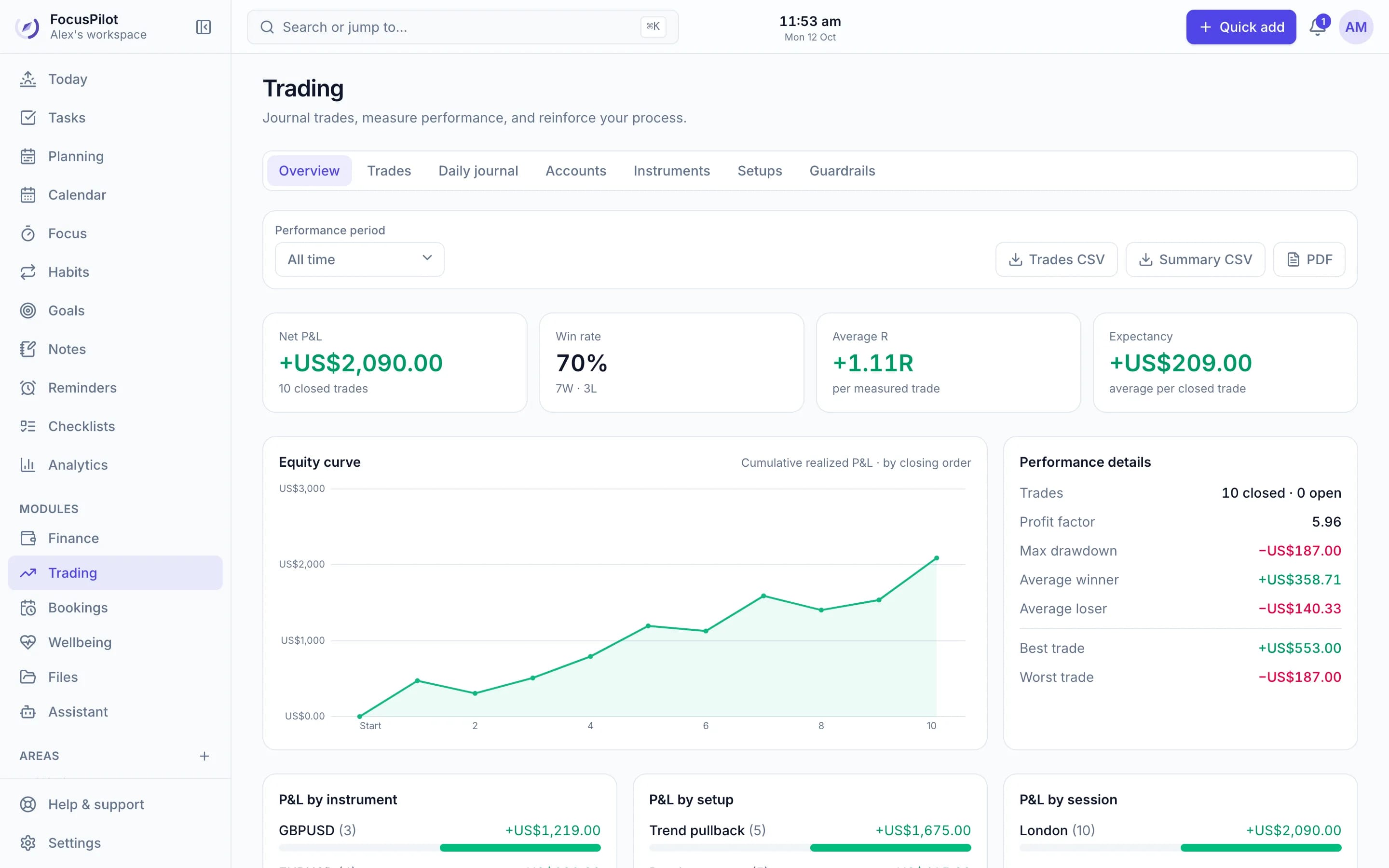
Log trades or import them from a screenshot, and track P&L, win rate, R-multiples and the risk limits you set.
See the trading journalAnywhere
Use FocusPilot in any browser or install it to your home screen, or get the Android app. Your plan, timer and tasks stay in sync everywhere.
Your workspace belongs to you and is never sold for advertising.
The AI never changes anything until you confirm it.
Yes. FocusPilot is free to use, with every feature and module included. There's no credit card to enter and nothing to upgrade.
Managing tasks, planning each day, time blocking, focused work with a Pomodoro timer, habits, goals, notes, checklists and reminders. Optional modules add booking pages, invoices and budgets, a trading journal, prayer times and wellbeing tracking. You turn on only what you need.
Yes. The assistant can answer questions about your own tasks, focus, habits, goals and money, plan your day, and prepare changes that you confirm before anything happens. You can also connect FocusPilot to ChatGPT, Claude, Claude Code, Codex or Cursor and work with your tasks from there.
Yes. FocusPilot works fully in any phone browser, and you can install it to your home screen like an app, on Android or iPhone. Your plan, timer and tasks stay in sync with your computer.
Your workspace is private to your account and is never sold for advertising. The AI only sees what's needed to answer a request you make, and it never changes anything without your confirmation.
About a minute. A short setup guide asks about your working hours, which tools you want and whether you'd like email updates, then you're on your Today page.
Productivity guides
Create your free workspace, add what's on your mind, and turn it into a plan you can finish.
Free · No credit card · Private by default