Free trading journal
A free trading journal that keeps you honest
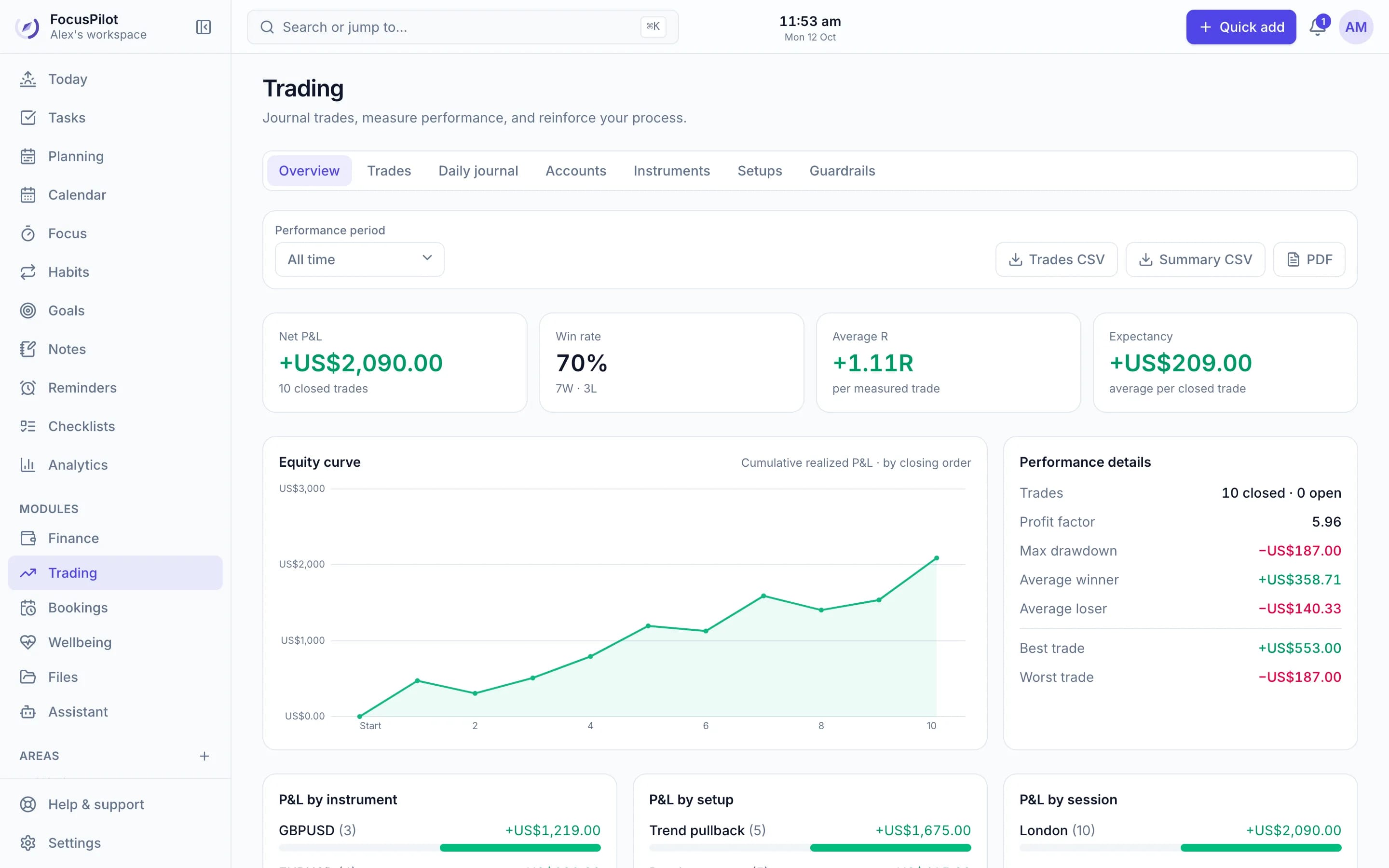
Log every trade in seconds, or import them from a screenshot. See P&L, win rate, R-multiples and expectancy by instrument, setup and session, and let guardrails warn you before a bad day gets worse.
Free · No credit card · Private by default
- P&L, win rate and R-multiples
- Import from a screenshot
- Risk guardrails
- Daily trading journal
Everything a disciplined trader tracks
The numbers that matter
Net P&L, win rate, average R, expectancy, profit factor, max drawdown, best and worst trades.
Equity curve and breakdowns
See your curve and P&L by instrument, setup and session for any day, week, month or all time.
Screenshot import
Upload a broker history screenshot and review every extracted trade before it's saved.
Risk guardrails
Daily hours, consecutive losses, daily net loss and risk per trade, with a warning before you break them.
Daily journal
Market overview, high-impact news, conditions, notes and screenshots for every trading day.
Export any time
Trades as CSV, and summaries as CSV or PDF. Your records stay yours.
Process
Your trading day next to the rest of your day
FocusPilot is a full planner too. Block out your trading sessions, prepare with a checklist and review the day, all beside your other work and habits.
See the daily planner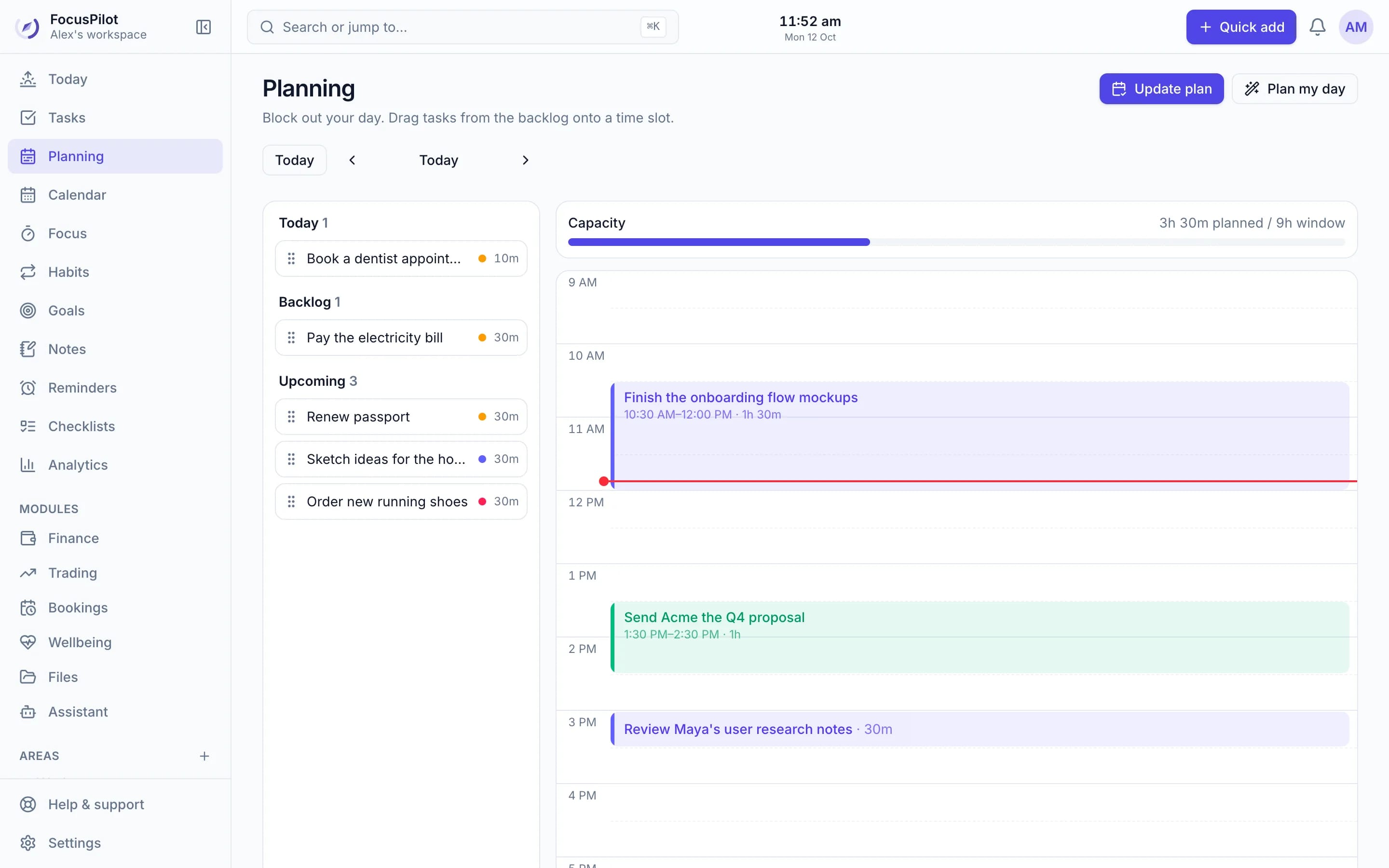
Habits
Build the routines behind good trading
Track pre-market prep, journaling and no-trade rules as habits, and see your consistency over time.
See the habit tracker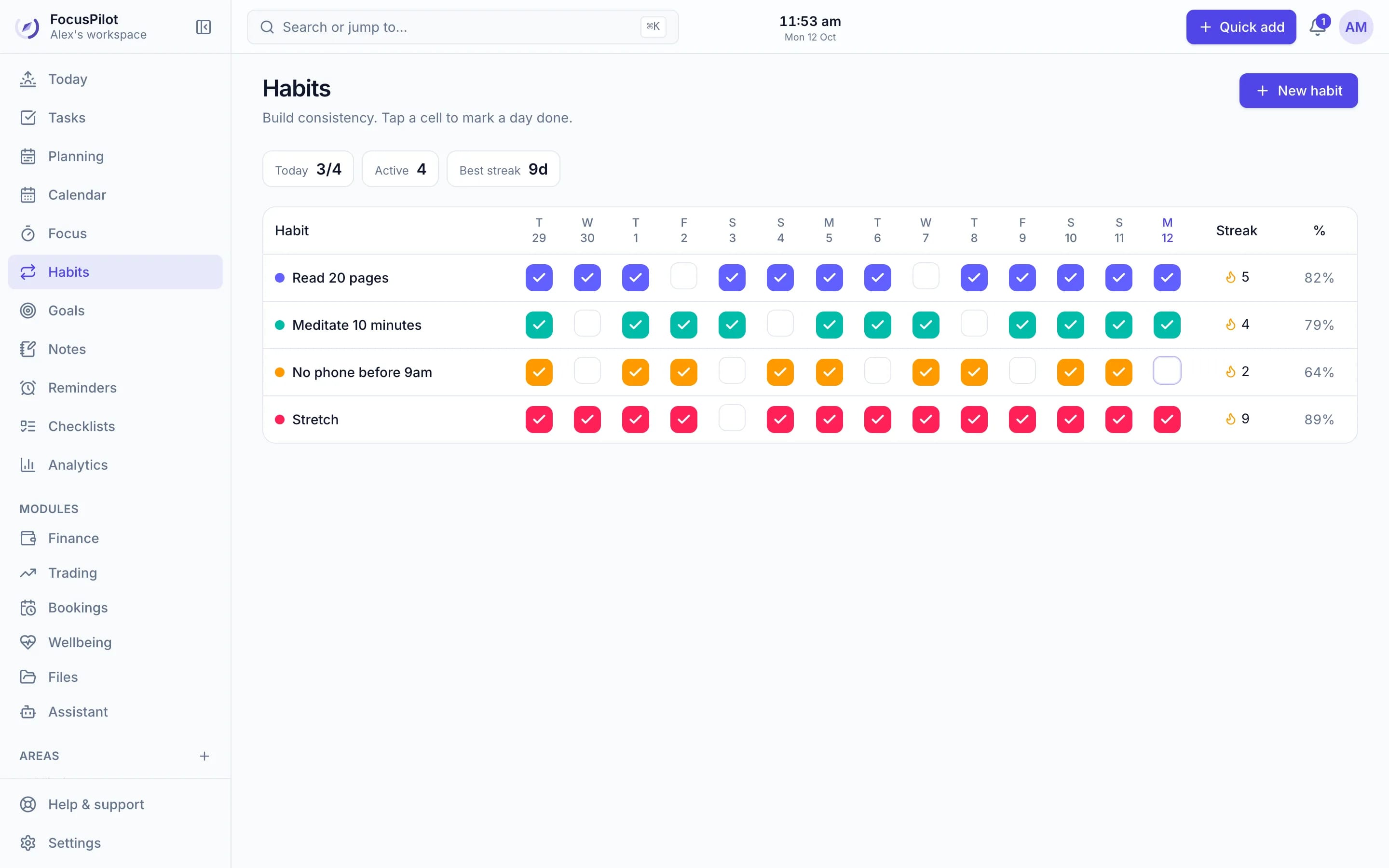
Better than a spreadsheet
| Feature | FocusPilot | Spreadsheet |
|---|---|---|
| P&L and R-multiple calculated for you | By hand | |
| Equity curve and breakdowns | By hand | |
| Import trades from a screenshot | ||
| Warnings before you break your limits | ||
| Daily journal with screenshots | Sort of | |
| Price | Free | Free |
Frequently asked questions
Is the trading journal free?
Yes. The journal, analytics, guardrails and CSV export are free. Importing trades from a screenshot uses one AI request from your free monthly allowance.
Which markets does it support?
Forex, crypto, stocks, futures, options, indices and commodities. Use the ready-made instruments or add your own symbols, and track live, demo and prop accounts.
Can I import trades instead of typing them?
Yes. Upload a screenshot of your MT4 or broker trade history and FocusPilot extracts every closed trade for you to review before anything is saved. Re-importing the same trades is skipped automatically.
What do the guardrails do?
Set limits such as maximum trading hours per day, consecutive losses, daily net loss and risk per trade. When a new trade would break one, FocusPilot warns you and asks you to confirm before logging it.
Can I export my trades?
Yes. Download your filtered trades as CSV, or export a summary as CSV or PDF.
Is this investment advice?
No. The journal describes your own recorded trading. It isn't investment advice or a prediction of future results.
Start journaling your trades today
Create a free workspace, turn on Trading, and log or import your first trades.
Free · No credit card · Private by default